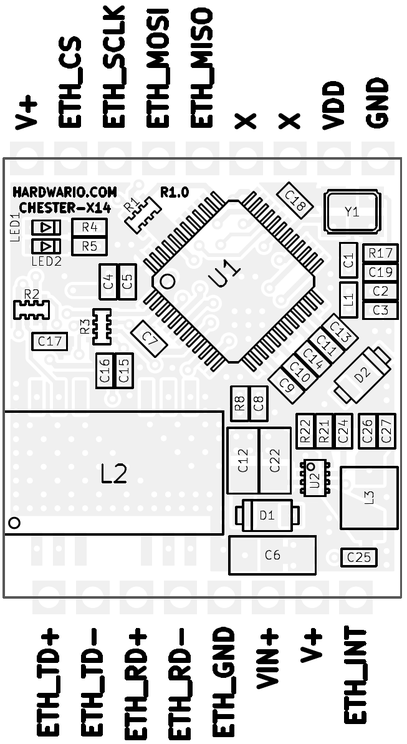
CHESTER-X14
The CHESTER-X14 is a wired 10/100 Ethernet extension module for the CHESTER platform.

Module Overview
CHESTER-X14 provides a 10/100 Mbps Ethernet interface based on the W5500 hardwired TCP/IP controller, which integrates the MAC and PHY and communicates with the CHESTER mainboard over SPI. On-board Ethernet magnetics (ALANL100X1-DE12DT) provide galvanic isolation and signal conditioning. The differential receive/transmit pairs are brought out to the terminal block, where the individual Ethernet conductors are connected.
The module can run directly from the CHESTER mainboard. Alternatively, an external 5-28 VDC line on +VIN feeds the on-board TPS62933 step-down converter, whose fixed 5 V output (+V) powers the CHESTER mainboard. Schottky diodes (PMEG6010ELR) protect the input. An interrupt output signals the CHESTER mainboard when the Ethernet controller requires attention.
Key Features
- 10/100 Ethernet: Wired connectivity based on the W5500 hardwired TCP/IP controller.
- SPI Host Interface: Connects to the CHESTER mainboard over SPI.
- Integrated Magnetics & Isolation: On-board Ethernet transformer (ALANL100X1-DE12DT) provides galvanic isolation.
- Flexible Power: Runs from the CHESTER mainboard, or from an optional 5-28 VDC line on +VIN.
- Input Protection: Schottky diodes (PMEG6010ELR) on the power input.
- Interrupt Output: Dedicated interrupt line to the CHESTER mainboard.
- Status LEDs: Link (green) and activity (red) indicators driven by the W5500.
Typical Applications
- Fixed-line Connectivity: Wired Ethernet where cellular coverage is unavailable or undesirable.
- Industrial Networks: Connecting CHESTER to a local industrial LAN.
- Building Automation: Wired backbone for building and facility monitoring.
- Gateways: Wired uplink for data-collection nodes.
Technical Specifications
| Parameter | Value |
|---|---|
| Interface Type | 10/100 Mbps Ethernet |
| Ethernet Controller | W5500 (hardwired TCP/IP, integrated MAC + PHY) |
| Host Interface | SPI |
| Magnetics | Integrated (ALANL100X1-DE12DT) |
| Galvanic Isolation | Yes, from the on-board Ethernet magnetics |
| Power Input (+VIN) | 5-28 VDC (optional external supply) |
| Power Output (+V) | Fixed 5 V, powers the CHESTER mainboard |
| Ethernet Output | Differential Rx/Tx pairs on the terminal block |
| Board Interface | Castellated holes on two opposite edges, soldered to the CHESTER mainboard |
| Hardware Revision | R1.0 |
Key Components
| Component | Part Number | Description |
|---|---|---|
| Ethernet Controller | W5500 | Hardwired TCP/IP embedded Ethernet controller with SPI interface (MAC + PHY) |
| Ethernet Magnetics | ALANL100X1-DE12DT | Integrated LAN transformer for the 10/100 interface |
| DC-DC Converter | TPS62933 | Step-down converter, 5-28 VDC input |
| Input Protection | PMEG6010ELR | Schottky barrier diodes for input protection |
Pin Configuration
The module uses a standardized header layout compatible with CHESTER extension slots.
The pin configuration shown is for the CHESTER-M CGLS mainboard.
CHESTER-X14 Connector Pinout
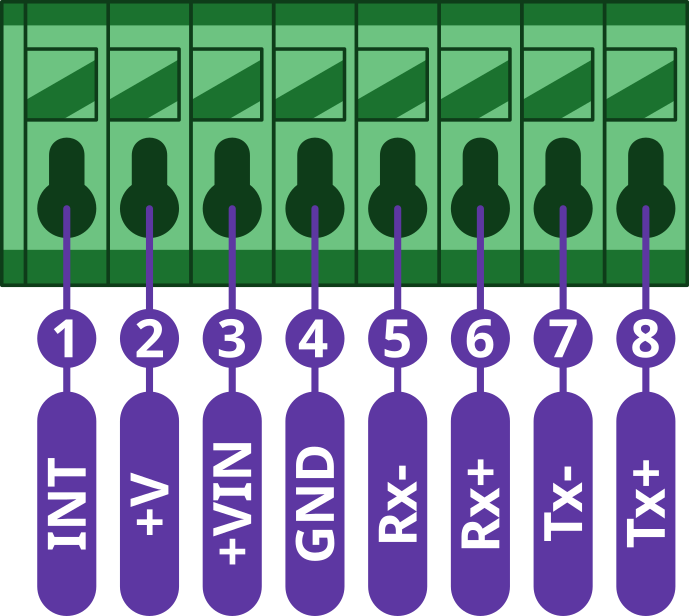
| Pin | Signal | Type | Description |
|---|---|---|---|
| 1 | INT | Output | Interrupt output to the CHESTER mainboard |
| 2 | +V | Power Output | Fixed 5 V from the on-board step-down (powers the CHESTER mainboard) |
| 3 | +VIN | Power Input | Optional external DC input to the on-board step-down (5-28 VDC) |
| 4 | GND | Ground | System ground reference |
| 5 | Rx- | Ethernet | Receive pair (negative) |
| 6 | Rx+ | Ethernet | Receive pair (positive) |
| 7 | Tx- | Ethernet | Transmit pair (negative) |
| 8 | Tx+ | Ethernet | Transmit pair (positive) |
The module can run directly from the CHESTER mainboard. When an external 5-28 VDC supply is connected to +VIN (Pin 3), the on-board TPS62933 step-down converter produces a fixed 5 V on +V (Pin 2), which powers the CHESTER mainboard.
Host Interface (SPI)
Unlike most CHESTER-X modules (which use I²C), CHESTER-X14 communicates with the CHESTER mainboard over SPI. The W5500 controller is driven through the module slot's GP pins:
| CHESTER-X pin | SPI function | W5500 signal |
|---|---|---|
| GP0 | MISO | ETH_MISO |
| GP1 | MOSI | ETH_MOSI |
| GP2 | SCLK | ETH_SCLK |
| GP3 | CS | ETH_CS |
The W5500 interrupt output (INTn) is routed to the module's INT terminal (pin 1). See the Interrupt Pin subsection below.
Interrupt Pin
The W5500 signals events (such as an incoming packet) on its interrupt output, which is brought out to the module's INT terminal (pin 1). This interrupt must be wired to the CHESTER mainboard's INT terminal so the mainboard can detect it. On the CHESTER-M CGLS mainboard, add a jumper wire from the extension module's terminal block to the mainboard's INT terminal. The wiring below is shown for a module in slot B; a module in another slot connects to that slot's INT terminal the same way.
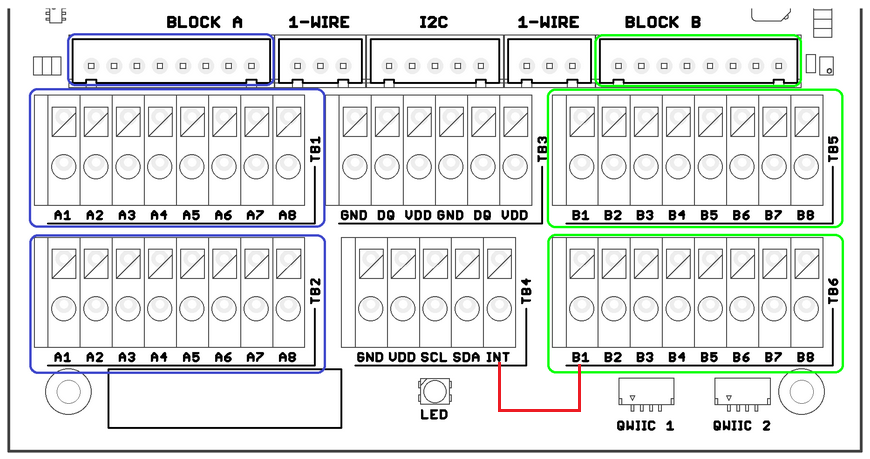
- Example: interrupt wiring for a module in slot B (CHESTER-M CGLS).
Ethernet Connection
The Ethernet magnetics are located on the module, so the individual Ethernet conductors are wired directly to the terminal-block pins (Rx-, Rx+, Tx-, Tx+). No external magnetics are required, because the on-board magnetics also provide galvanic isolation of the Ethernet interface.
Run each differential pair (Rx and Tx) as a twisted pair using Cat5e cable or better, and keep any untwisted wiring at the terminal block as short as possible. Standard 10/100BASE-TX links (as used by the W5500) support cable runs up to 100 m.
Wire the Ethernet cable to the terminal block as shown below. The RJ-45 pin and wire color follow the T568B standard; the CHESTER-X14 pin is taken from the pinout table above.
| RJ-45 pin | Wire (T568B) | Ethernet signal | CHESTER-X14 pin |
|---|---|---|---|
| 1 | White/orange | ETH_TD+ (Tx+) | 8 |
| 2 | Orange | ETH_TD- (Tx-) | 7 |
| 3 | White/green | ETH_RD+ (Rx+) | 6 |
| 6 | Green | ETH_RD- (Rx-) | 5 |
| 8 | Brown | ETH_GND (GND) | 4 |
Enclosure Feed-Through
Two options bring the Ethernet cable into the enclosure:
- Cable gland (default): route the insulated Ethernet conductors through a cable gland in the enclosure wall and wire them to the terminal block.
- Panel-mount RJ-45 connector (on request): an external RJ-45 socket in the enclosure wall lets the user plug in a standard Ethernet cable, with no loose wiring inside. Available on request.
Status LEDs
Two status LEDs sit under the HARDWARIO.COM silkscreen in the top-left corner of the board. Both are driven directly by the W5500 controller:
| LED | W5500 signal | Color | Function |
|---|---|---|---|
| LED1 | ACTLED | Red | Ethernet activity: toggles when frames are transmitted or received |
| LED2 | LINKLED | Green | Ethernet link: lit when a link is established with the network |
Compatible CHESTER Configurations
The CHESTER-X14 module can be used with various CHESTER mainboard configurations. Below are examples of compatible setups:
CHESTER-M (CGLS)
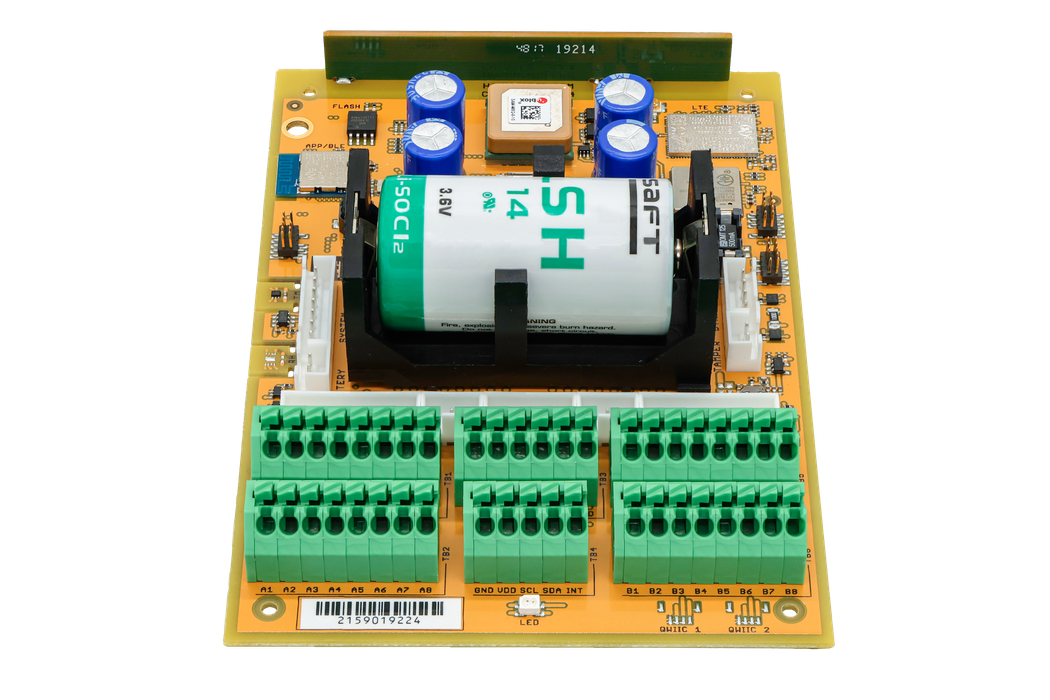
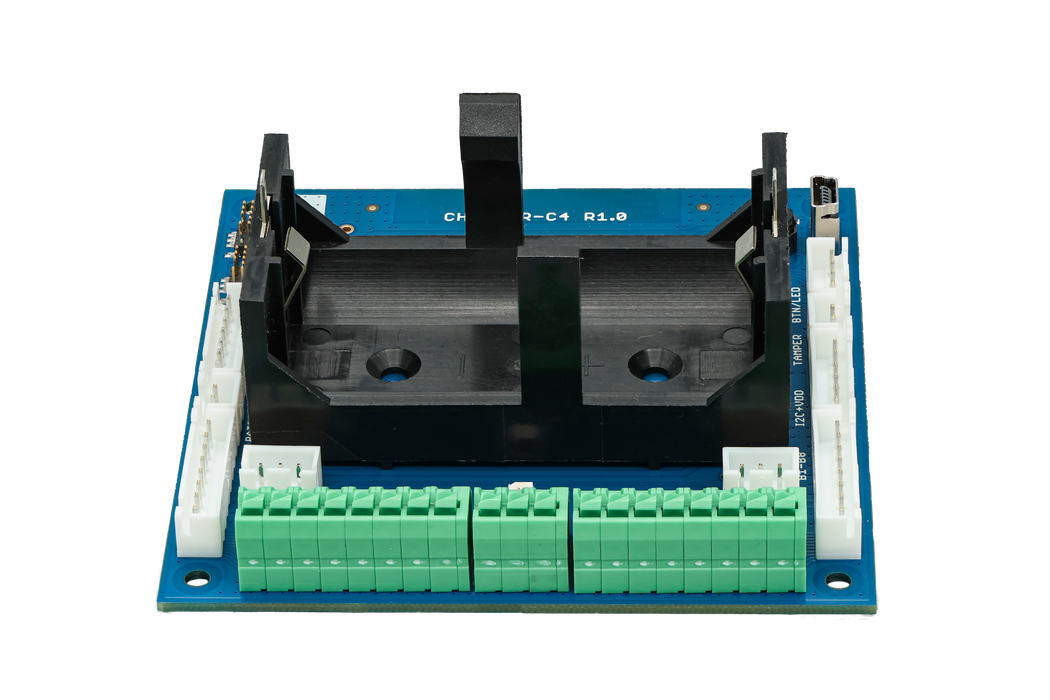
CHESTER-C4
CHESTER SDK usage
CHESTER-X14 can be used as part of the CHESTER SDK using the ctr_x14_a and ctr_x14_b shields, or hardware-chester-x14-a and hardware-chester-x14-b Project Generator features.
Schematic Diagrams
The complete schematic, covering the main page, the Ethernet interface, and the power supply, is available as a PDF:
Module Drawing