Config
Change the device's configuration the same way you would over BLE or J-Link RTT — send one or more
app config commands, and CHESTER applies them the next time it sends an uplink packet or polls the
Cloud.
Open the device's Messages → + SCHEDULE DOWNLINK, set Message type to config, and enter the commands in the Body as plain text or JSON, then SEND.
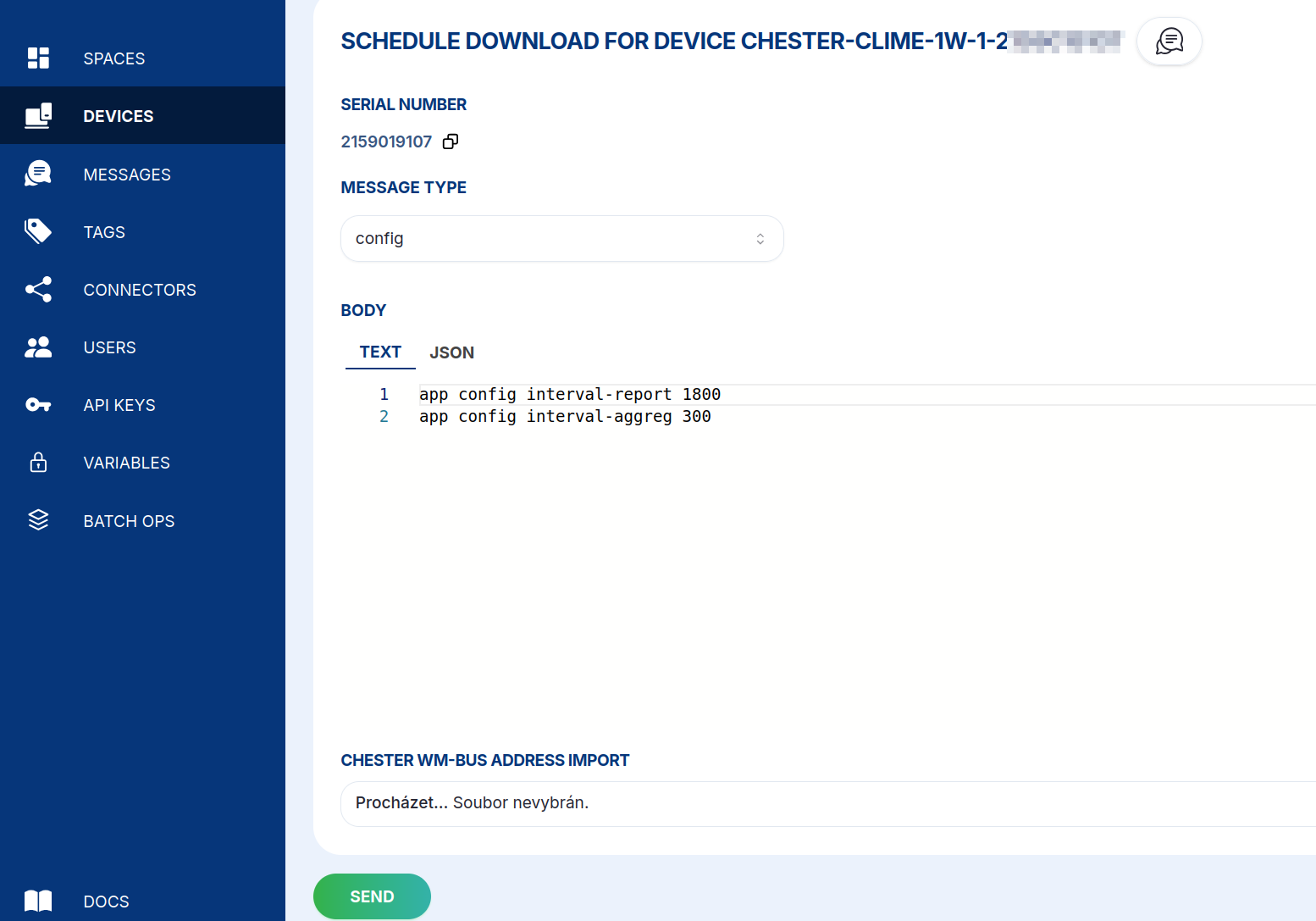
- Text
- JSON
app config mode lte
app config interval-sample 60
app config interval-aggreg 300
app config interval-report 1800
{
  "type": "config",
  "device_id": "<device-id>",
  "body": [
    "app config mode lte",
    "app config interval-sample 60",
    "app config interval-aggreg 300",
    "app config interval-report 1800"
  ]
}
When you configure a device locally you finish with config save to persist the changes and
reboot. Over the Cloud you must not send config save — HARDWARIO Cloud applies and saves the
configuration for you automatically. Adding it yourself can double-apply the change, so simply omit it.
For the full list of configuration parameters see the CHESTER
Default Configuration
reference; the app config show command prints a device's current values.