Configure a powered-off STICKER
STICKER can be configured with no batteries inserted. The NFC field from the phone powers the device long enough to store the settings, and the device applies them the next time it boots on battery power. This lets you prepare devices before they are installed.
Offline writes go over the same encrypted channel as normal ones, so the device has to be provisioned with a secret key and saved on the phone. See Saved STICKERs.
Build a configuration and write it
- Go to STICKER → Configuration → Configure without reading.
- Build the configuration — either Apply template to fill it from a saved preset, or open each section and set the values by hand.
- Tap Save to device and hold the phone against the STICKER.
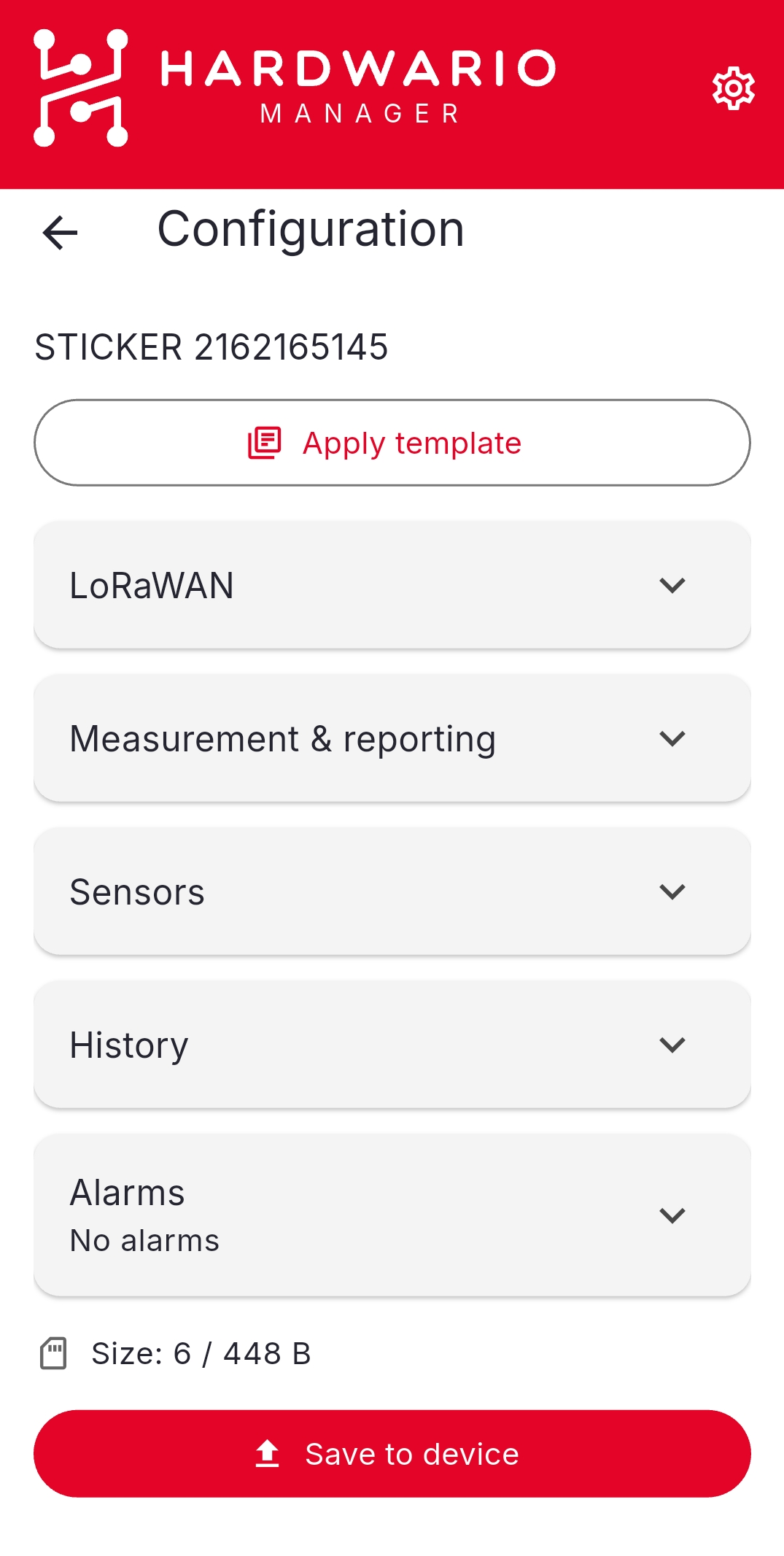
Because nothing was read from the device first, every value you set is written as-is. There is nothing to compare against and no Revert to read values.
Watch the size counter
An offline write has to fit in the device's tag storage, so the screen shows a running size counter against the limit as you add settings. If you exceed it, drop settings until the counter fits — a template that carries only what you actually need is the easiest way to stay inside the budget.
Apply a template offline in bulk
To give many powered-off devices the same settings, build the configuration once as a template and apply it from STICKER → Templates:
- Open the template and choose Apply offline.
- The configuration is pre-filled from the template — review it.
- Tap Write to tag and hold the phone against each device in turn.
- Use Verify (read tag) to read a device back and confirm what was stored.
See Templates.
A device configured this way applies the settings on its next boot, so nothing visible happens at write time. Verify (read tag) is the way to prove the write landed before the device goes onto a wall.