Creating a Custom Variable in Ubidots (Synthetic Variable)
If you need to create a new variable derived from your existing data (for example, an average, a conversion, or a mathematical combination), you can do this directly in Ubidots by creating a Synthetic Variable.
Step-by-Step Instructions
-
Open the Devices Section
In the top navigation bar, click on
Devices.
You will see a list of all your devices.
Find your device and click on it.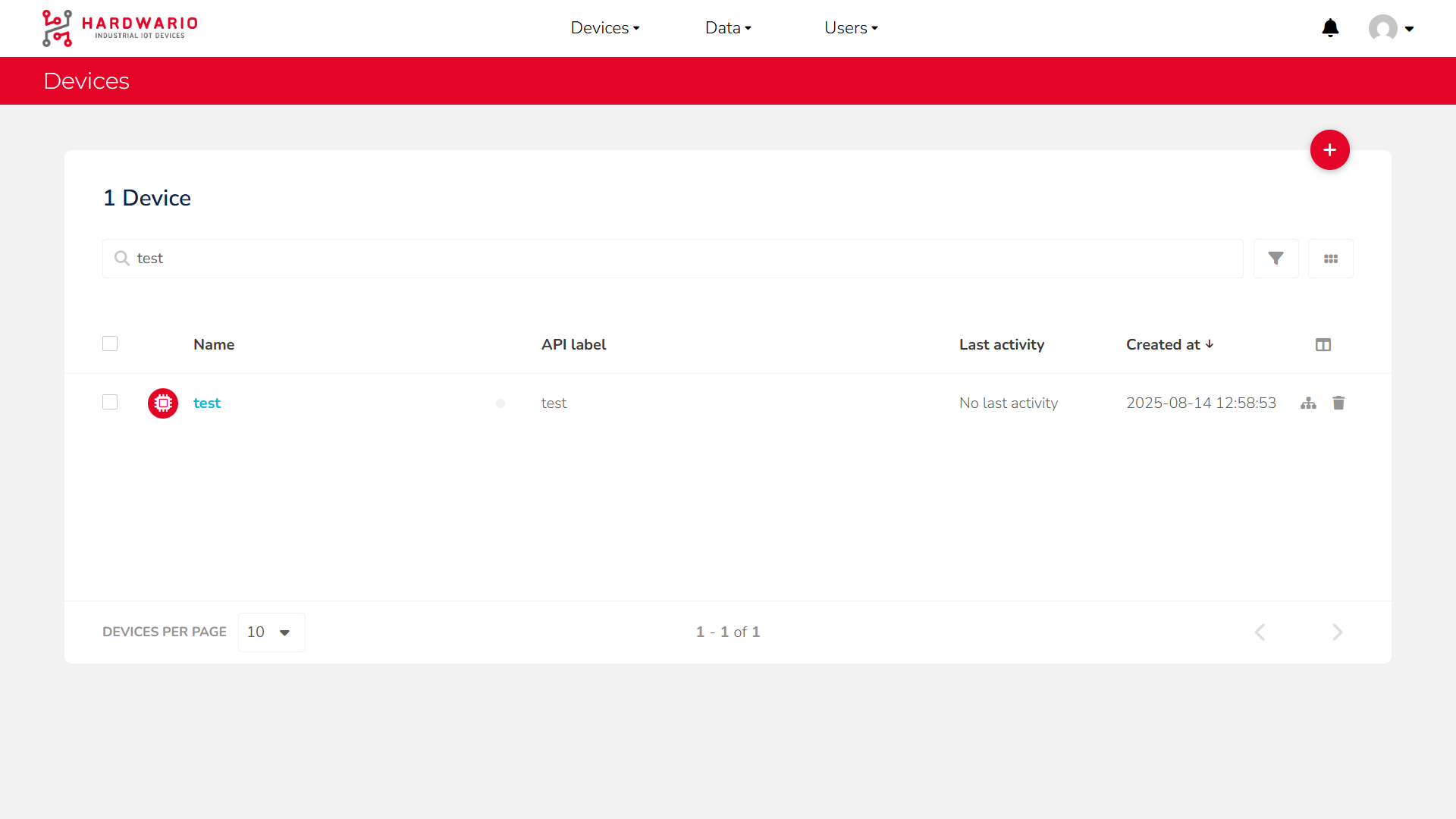
-
Add a New Variable
In the top-right corner, click the red
+button
and select Synthetic Variable from the menu.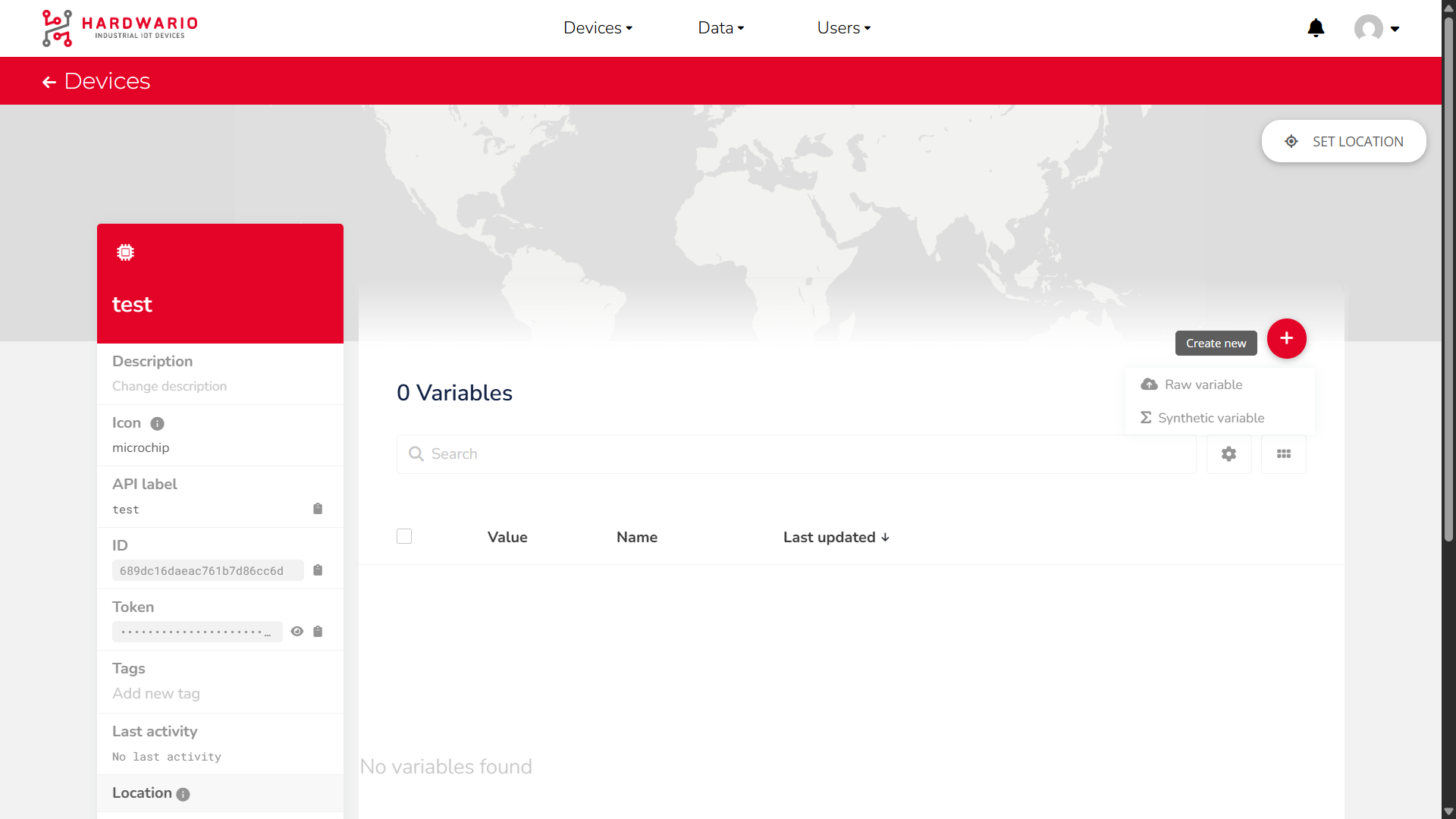
-
Select Device and Variables
On the right side, select:
• Your device
• The variables you want to use in your calculationOn the left side, enter your formula.
You can combine multiple variables and mathematical operators to create new logic.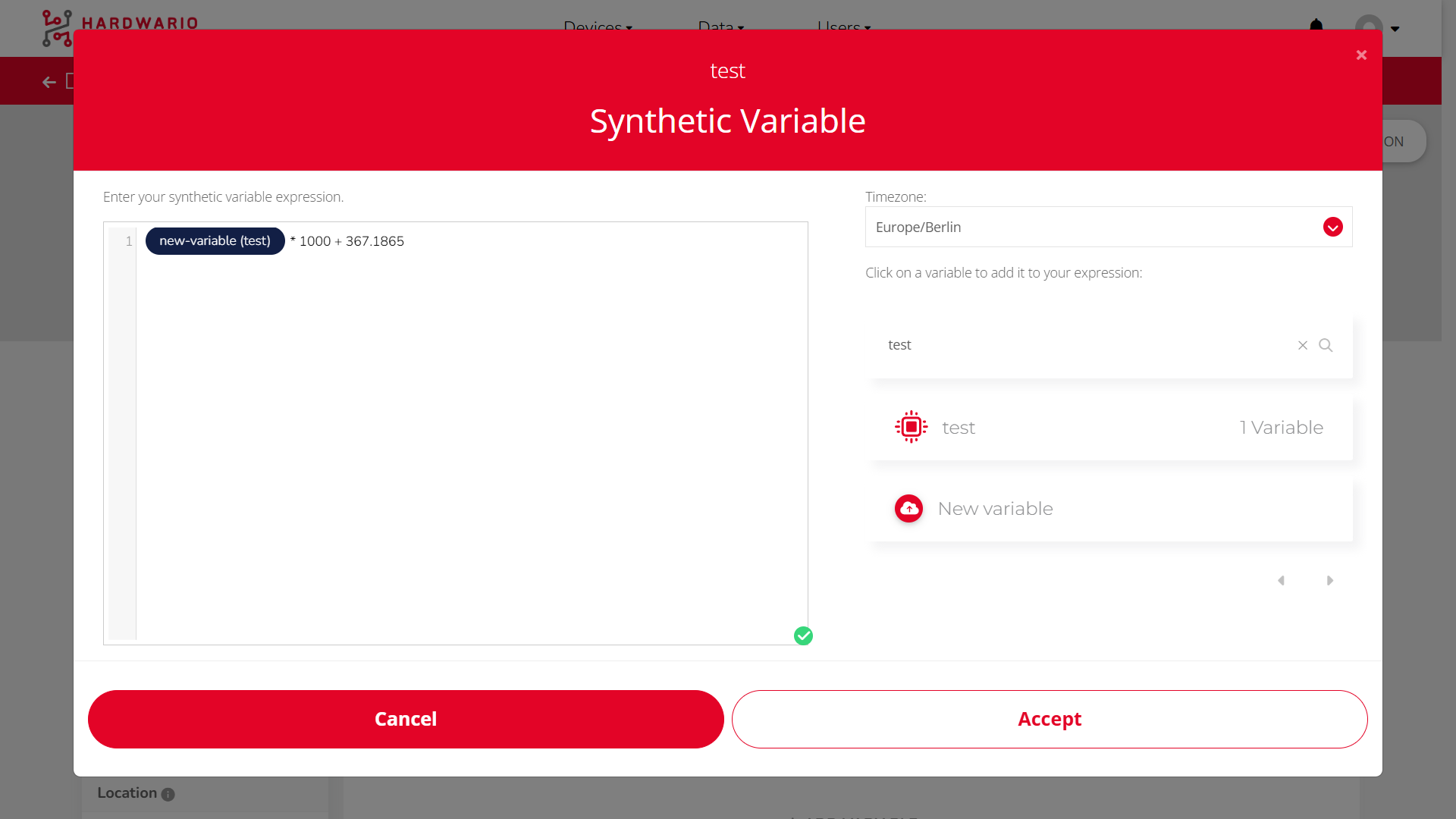
Example Operations (format samples)
1. Average of two variables
(temperature_1 + temperature_2) / 2
2. Convert temperature from °C to °F
(temperature * 9 / 5) + 32
3. Difference between two pressure values
pressure_sensor_1 - pressure_sensor_2