HARDWARIO Manager — Features
HARDWARIO Manager is the mobile app for the HARDWARIO ecosystem. For STICKER it is a full NFC configurator; it also provisions HARDWARIO FIBER gateways over Bluetooth. This page summarises what the app can do with a STICKER.
Everything under STICKER works over NFC — hold the back of the phone against the tag. The app keeps credentials primed automatically (serial and nonce from the tag, secret key from your saved devices), so most actions need no typing.
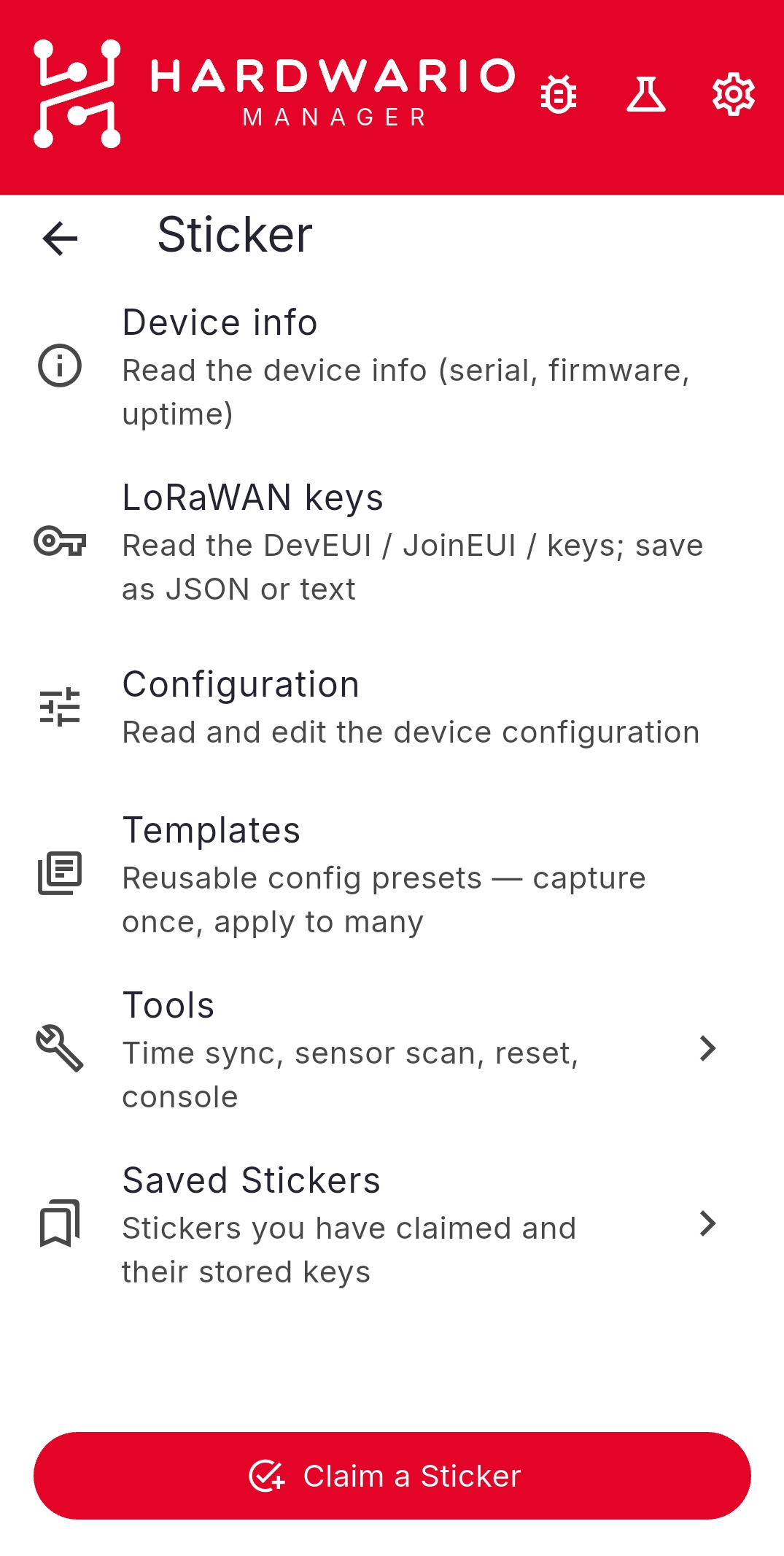
Device info and keys
- Device info — read the serial number, firmware version, uptime, and clock.
- LoRaWAN keys — read the DevEUI, JoinEUI (AppEUI), AppKey, and other keys the firmware exposes, then share them as JSON, CSV, plain text, a QR code, or copy them to the clipboard.
Configuration
- Read and edit the full device configuration, one section at a time: LoRaWAN, Measurement & reporting, Sensors, History, Alarms, and Keys.
- Save to device, Revert changes, Save as template, or Export the configuration to a file.
- Configure from a file you exported earlier.
- Offline (powered-off) configuration — write settings to a STICKER that has no batteries; the device applies them on its next boot.
Templates
- Capture once, apply to many — build a reusable configuration template from a device, by hand, from hex, or from a QR code.
- Apply over NFC, or apply offline to powered-off devices.
- Share templates as a QR code or hex string. You can also build one in a browser with the Template Generator.
Tools
- Sync time from the phone.
- 1-Wire sensors — scan the bus and assign, clear, or reorder the sensor slots.
- Sample data — read every sensor now and transmit the values over LoRaWAN.
- Sensor history — read the stored store-and-forward records.
- Calibration mode — reboot into the sensor-calibration service mode.
- Reset ladder — reboot, reset counters, device reset, factory reset, and vendor reset.
- Vendor changes — change the secret key or perform a vendor reset (authenticated by the vendor-token).
Saved devices
- A persistent list of the STICKERs you manage, with their secret keys and vendor-tokens stored securely on the phone.
- Add devices by tapping over NFC, scanning a QR code, or entering details by hand.
- Organise devices with tags, review each device's change log, and import / export the list as QR codes, CSV, or JSON.
Security
- STICKER commands run over an AES-CCM encrypted channel; the secret key is filled automatically from your saved devices.
- Optional app lock with biometrics or the device passcode.
To install the app, see Setup. To configure your first device, see Configuration.