Authentication
Every request authenticates with an API key sent in the X-API-KEY header.
API keys are scoped to a Space, and you can limit a key to specific devices with tags.
Create a key in the Cloud:
-
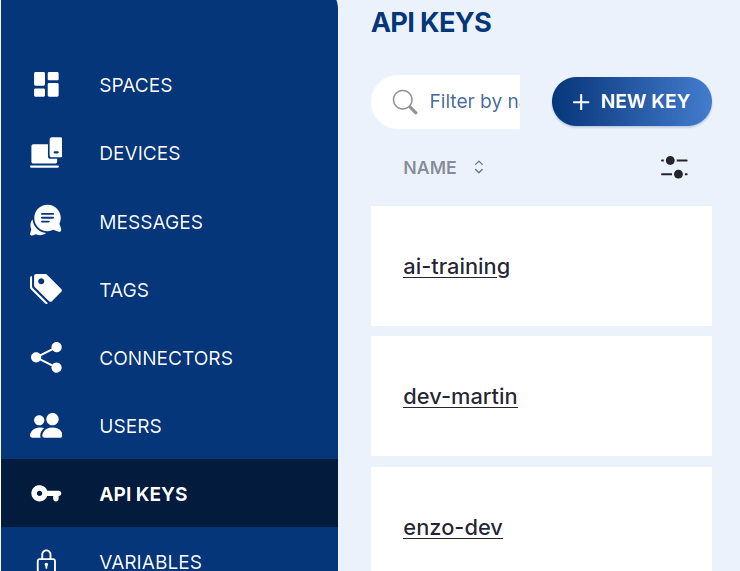
Open your Space, go to API Keys in the left sidebar, and click + NEW KEY.
-
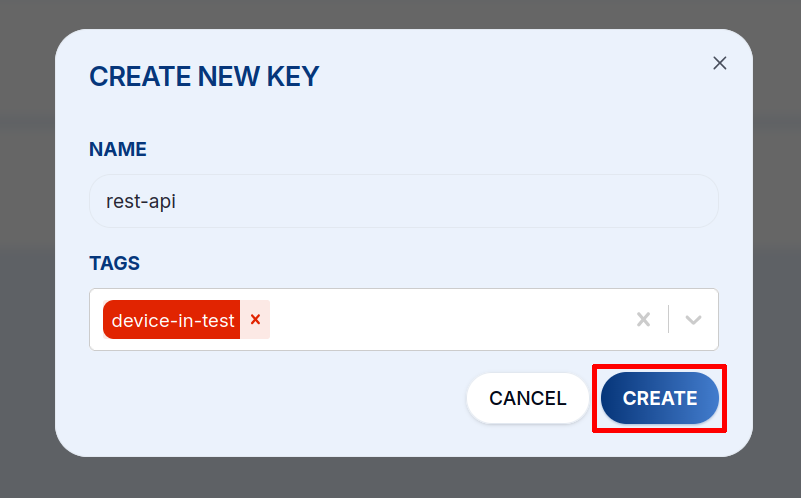
Give the key a Name and, optionally, pick the Tags that scope which devices it can access, then click CREATE.
-
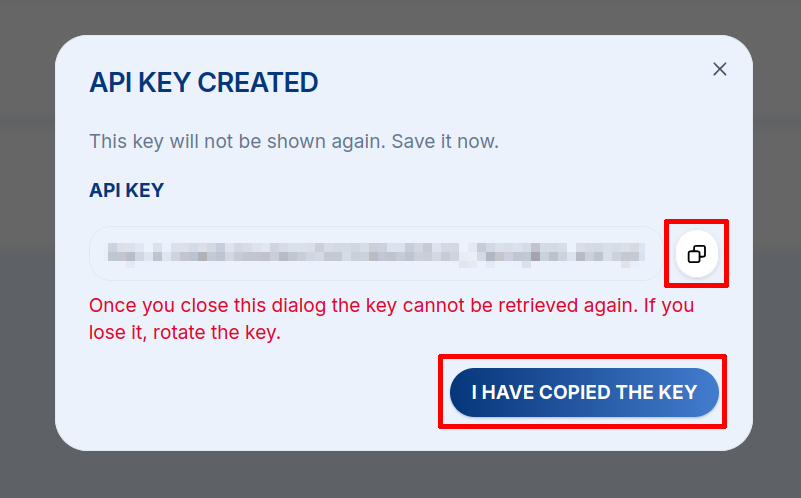
Copy the key from the API Key Created dialog and store it securely — it is shown only once. If you lose it, rotate the key.
Then send it with every call:
curl -H 'X-API-KEY: <api-key>' \
  'https://api.hardwario.cloud/v2/spaces'
Keep API keys secret and never commit them to a repository. Scope a key with tags
so it can only reach the devices it needs, and delete or rotate a key immediately
if it leaks (.../spaces/{space_id}/keys also manages keys programmatically).