Firmware Over-The-Air Updates (FOTA)
You can update a CHESTER's firmware remotely from the Cloud — no physical access needed.
1. Get the firmware Identifier
Most updates use a ready-made catalog firmware — you don't have to build
anything yourself. Open the CHESTER
Catalog Applications → Application Firmware
table, find your application and variant, and copy its Identifier (a value like
424ab48d4d9a4b3880bd18faefe4ce0c).
You can build and upload your own firmware with the HARDWARIO CLI and use its Identifier the same way — see Build and Deploy in the CHESTER docs.
2. Schedule the download on the device
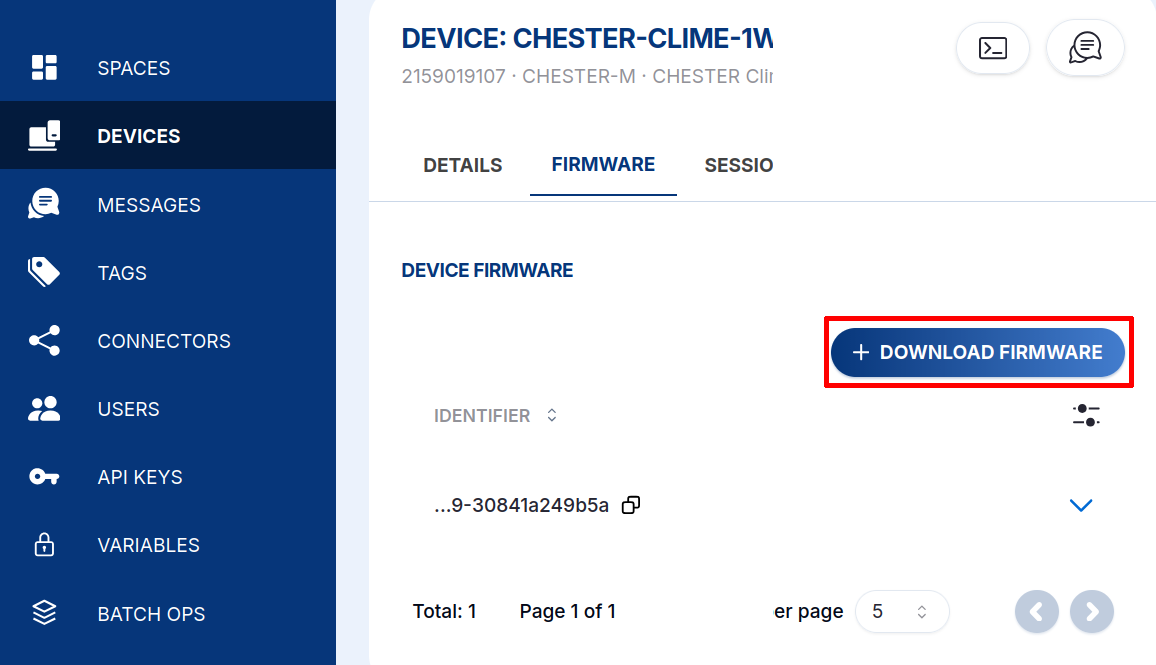
Open the device's detail, switch to the Firmware tab, and click + DOWNLOAD FIRMWARE.
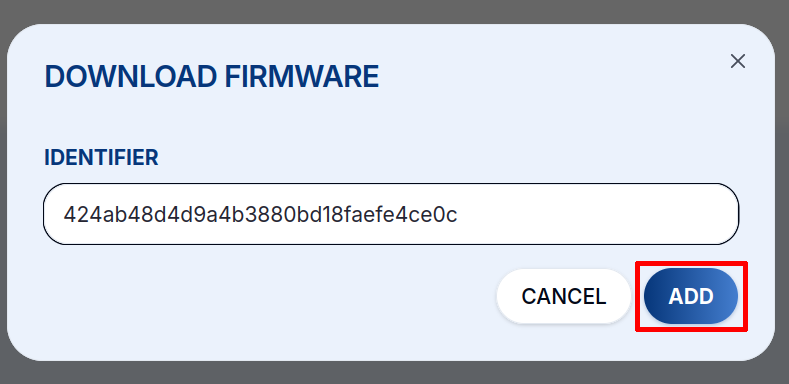
Paste the firmware Identifier and click ADD.
3. The device updates itself
The next time the CHESTER boots, sends data, or polls the Cloud, it starts downloading the new firmware. The download runs in the background for around 30 minutes, so the device keeps measuring and sending data normally.
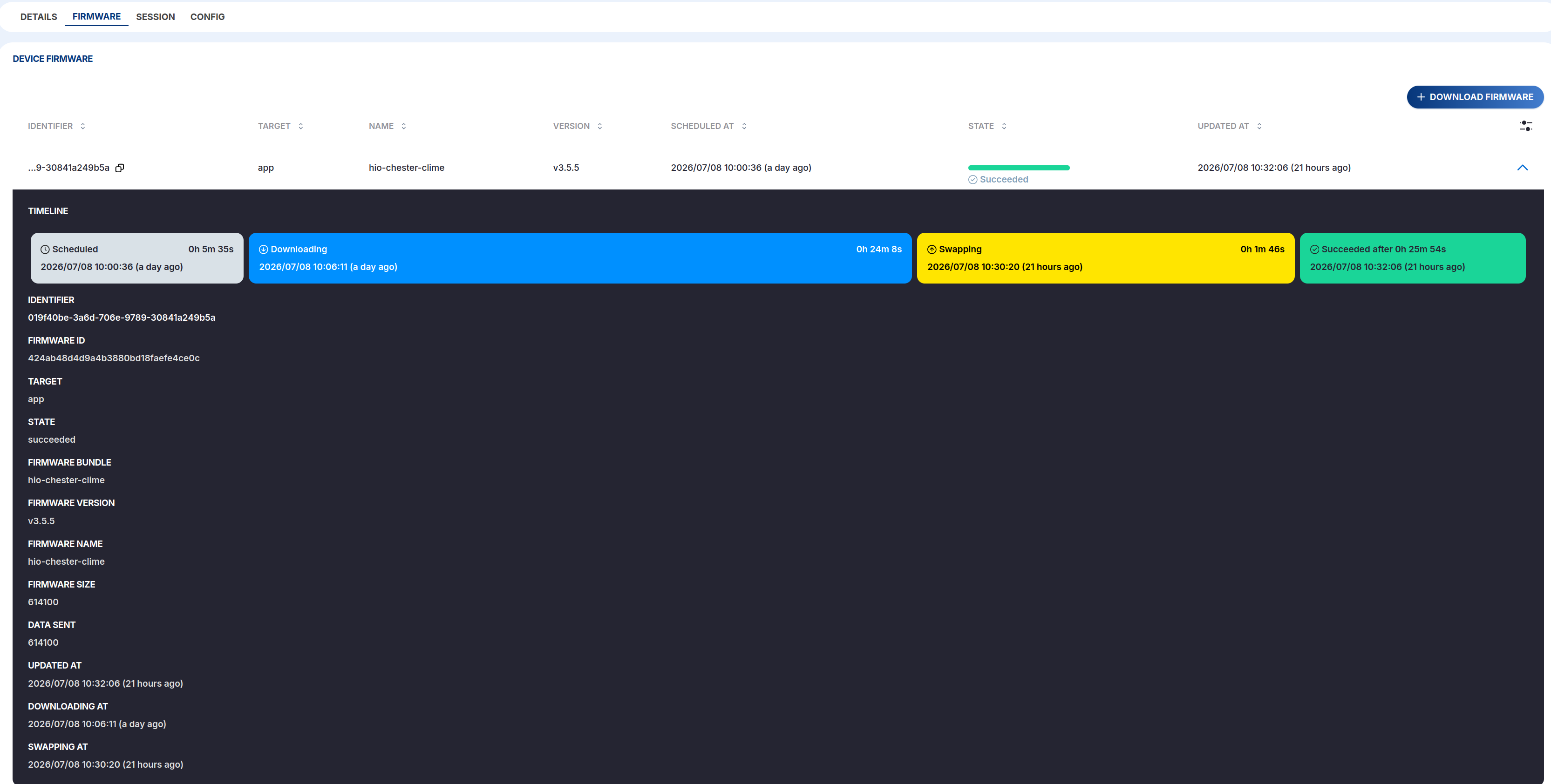
The Firmware list shows each scheduled download with its state (Scheduled, Downloading, Swapping, Succeeded, Cancelled):

Open an entry to follow the whole update step by step on its timeline:
What happens on the device
Once the new firmware is downloaded, it is swapped between the external SPI flash and the internal MCU flash. This takes up to two minutes, during which the status LED blinks green/yellow/red. The CHESTER then reconnects to the HARDWARIO Cloud with the new firmware, which is validated as healthy and confirmed to the Cloud as a successful update.
The MCUboot bootloader is protected: if the new firmware doesn't run correctly, the device swaps back to the previous version and reconnects with the old firmware.