Write the same settings to many STICKERs
Batch write gives a set of devices the same values in one session: you set the values once, then tap one STICKER after another. Only the values you change are written; every other setting on each device stays as it is.
Each device must be running (batteries in), and the app needs its secret key, which it takes from your Saved STICKER devices list.
Set the values
- Go to STICKER → Configuration → Batch write.
- Open the sections you need and set the values you want to change.
- Optionally, fill the form from a saved preset: More actions → Apply template, see Templates.
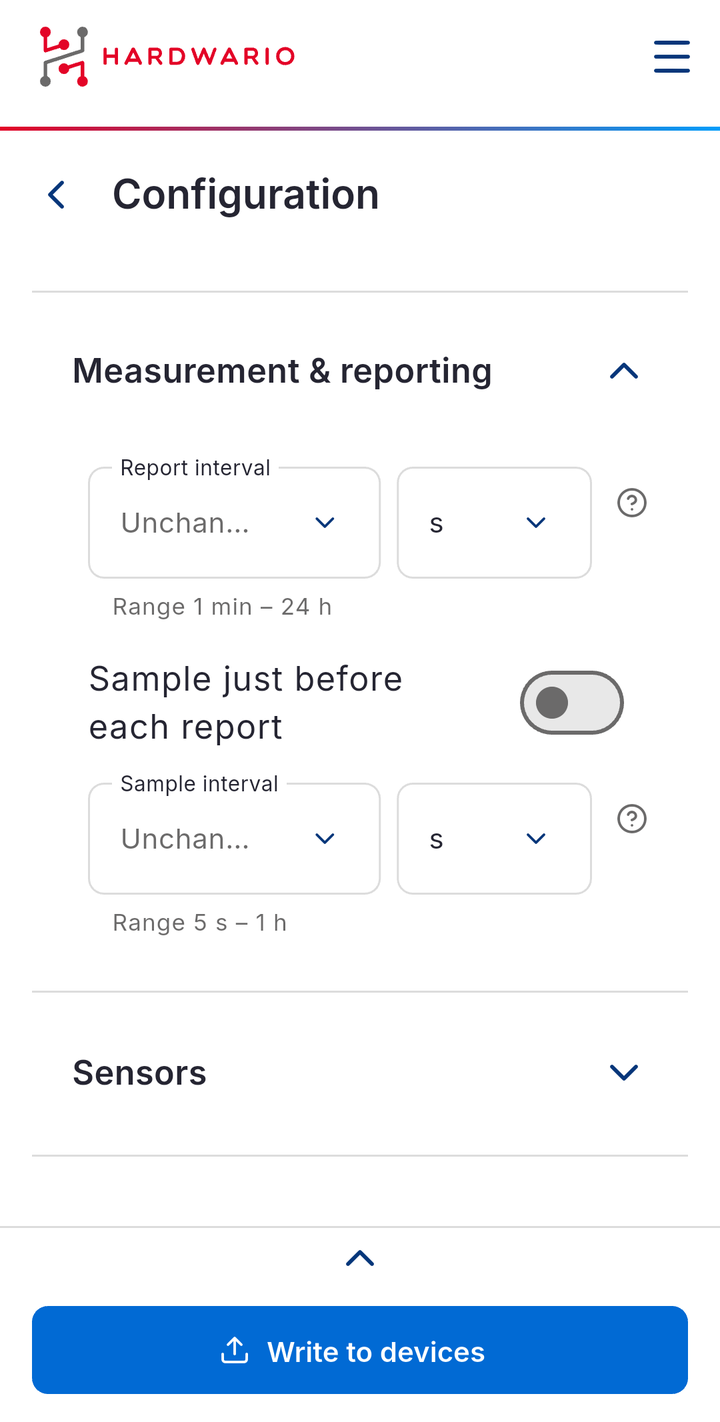
The header shows New configuration, or the serial number of the last STICKER the app read; the form itself starts empty either way. Every field starts as Unchanged: numbers and keys open empty, and switches and choices offer Unchanged next to their values. Emptying a field or picking Unchanged again takes it back out of the write.
A field that depends on another one stays on offer while that one is Unchanged, because the device may already hold the value that makes it apply. Sub-band, for example, is shown until you set a region outside US915 and AU915.
A size counter under the form shows how big the write is against the 448 B limit.
Write device after device
Tap Write to devices and hold the phone against the first STICKER.
After each write the screen re-arms for the next device, so you can work through a tray without touching the screen between taps. Under the prompt you see:
- the running count, such as 2 written, where a device tapped twice is counted once;
- the result of the last tap: Wrote STICKER and its serial number, or, in red, why that write did not complete. A failed tap does not end the batch; hold the phone against the device again.
Tap Stop to return to the form. Your values are kept, and the form shows how many devices were written so far, so you can change a value and carry on.
For a device in your saved list, each write adds an entry to its change log that holds only the values written.
A batch write does not read the devices. To confirm the result, open Configuration → Read on one of them.
Write a configuration file to many devices
Configure from file works the same way. The form opens with the values from the file, every setting the file does not carry reads Unchanged, and Write to devices writes it to each STICKER you tap. See Configuration.