Connectors
A Connector is a webhook that the Cloud calls every time a device sends an uplink message. Connectors are the primary way to push data from HARDWARIO Cloud to your own system, database, or third-party service.
How Connectors Work
- A device sends an uplink message to the Cloud
- The Cloud finds all connectors that share a tag with the device
- For each matching connector, the Cloud runs the transformation function
- The transformed payload is sent as an HTTP request to your endpoint
Device ──uplink──▶ Cloud
                     │
              [tag matching]
                     │
              Connector 1  ──HTTP POST──▶  Your backend
              Connector 2  ──HTTP POST──▶  Grafana / Ubidots / ...
Creating a Connector
- Go to Connectors in the left sidebar
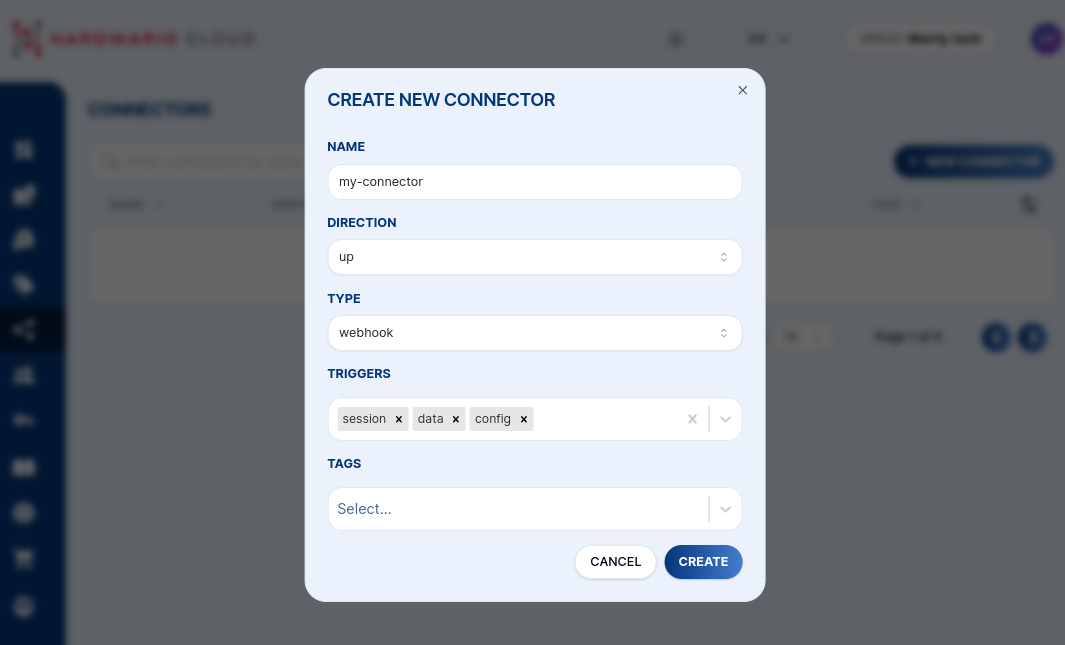
- Click + NEW CONNECTOR
- Fill in:
- Name — identifier for this connector
- Tags — which device tags this connector listens to
- Triggers — which message types trigger it (see below)
- Write a transformation function (see below)
- Click Create
Triggers
Select which message types trigger the connector:
| Trigger | Description |
|---|---|
data | Periodic uplink with sensor readings — most common |
session | Boot message with firmware and network info |
config | Configuration change acknowledgment |
stats | Internal Cloud statistics |
codec | Encoder/decoder key updates |
Transformation Function
Every connector has a JavaScript function that receives a job object and returns the HTTP request to make. This lets you reshape the payload, add authentication headers, or filter messages.

function main(job) {
  let body = job.message.body;
  return {
    "method": "POST",
    "url": "https://your-endpoint.example.com/data",
    "header": {
      "Content-Type": "application/json",
      "Authorization": "Bearer YOUR_TOKEN"
    },
    "data": body
  };
}
Returning null cancels the callback — useful for conditional forwarding:
function main(job) {
  let temp = job.message.body?.thermometer?.temperature;
  if (temp === undefined) return null; // skip messages without temperature
  return {
    "method": "POST",
    "url": "https://your-endpoint.example.com/temperature",
    "data": { value: temp, device: job.device.name }
  };
}
The job Object
The transformation function receives a job object with the following structure:
Show job object structure
{
  "message": {
    "id": "018eebbe-678d-7c60-b4ef-d141f48378e8",
    "type": "data",
    "direction": "up",
    "created_at": "2024-04-17T11:08:27.917Z",
    "body": {
      "thermometer": { "temperature": 22.43 },
      "accelerometer": { "accel_x": 0.22, "accel_y": 9.8, "accel_z": 0.15, "orientation": 3 },
      "network": {
        "parameter": { "band": 20, "rsrp": -95, "rsrq": -6, "snr": 2 }
      }
    }
  },
  "device": {
    "id": "018a1535-fd39-7293-bd36-52df3e62e962",
    "space_id": "018a14f6-27e3-7293-b7d2-c39d7b0d7cd2",
    "serial_number": "2159020389",
    "name": "my-device",
    "label": { "location": "prague-floor-3" },
    "tags": ["temperature-sensors"]
  },
  "connector": {
    "id": "018aef7c-c122-7893-a07c-70dbc6ebbddc"
  }
}
Live Preview
In the connector detail, the Preview tab lets you select one of the recent device messages and see in real time how your transformation function processes it — without sending any actual HTTP requests.

Retry Policy
If the HTTP request fails (non-2xx response or timeout), the Cloud retries automatically. The default retry schedule (in seconds):
10 → 30 → 60 → 600 → 1800 → 3600 → 10800 → 21600 → 43200
You can customize the retry intervals in the connector's Advanced tab.
Testing Endpoints
For local testing, use one of these free services to inspect incoming webhooks:
- requestinspector.com — instant public HTTP endpoint
- ngrok.com — tunnel to your local machine
- tailscale.com — private network with public funnel