STICKER Input
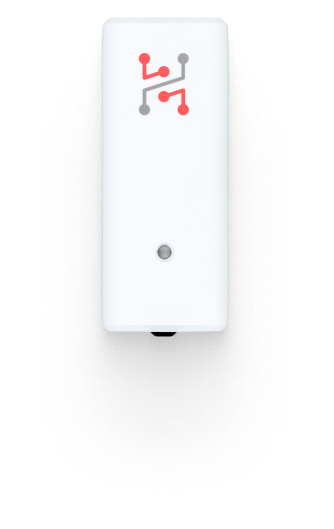
STICKER Input is a compact, wireless LoRaWAN module for connecting external sensors and reading digital or analog signals. Powered by two AA batteries, it supports 1-Wire temperature probes, voltage and current measurement, and monitoring of digital inputs up to 30 V, making it a versatile tool for industrial and monitoring applications.
Quick Links
- Getting Started Guide – Step-by-step setup guide.
- Buy STICKER Input – Purchase on our store.
- Ordering Codes - List of components and part numbers.
- Hardware Description - Technical details and hardware overview.
- Official Product Page – Features and overview.
Typical use cases
Smart temperature monitoring
- Some manufacturing processes require temperature monitoring across extreme ranges that conventional electronics can’t handle. External sensors - like 1-Wire temperature probes - are essential in such cases. A single data line can connect up to 10 sensors, enabling detailed and scalable monitoring.
Digitizing legacy machines
- Digitizing older machines can be tricky, even if they still run reliably. Many offer a 24 V digital output, or you can add an inductive sensor near the output mechanism to detect each produced item. This enables simple piece counting via digital signals.
Smart open/close detection
- Door and window detection isn’t just for security - it’s also key for smart heating and cooling. Traditional systems can be costly due to strict certification standards. STICKER Input offers a simple and affordable alternative with a built-in magnetic field sensor or digital inputs for standard switches.
Configuration and Wiring of External Inputs
Documentation → STICKER Input Wiring
Here you can find information about STICKER input wiring, including DIP switch settings and supported modes such as 1-Wire sensors, dry contact inputs, and 0–24 V analog inputs.
Example JSON Message
Show JSON Example
{
  "event": "change",
  "voltage": 3.01,
  "battery": 98,
  "orientation": 1,
  "input_1_state": true,
  "input_1_count": 120,
  "input_2_state": false,
  "input_2_count": 0
}
Status LED
STICKER Input uses the standard status LED patterns described in LED Indication - the boot carousel, the status heartbeat every 3 seconds, and the NFC and alarm patterns are identical across all STICKER applications.
Because this application is the one that actually uses the digital inputs and Hall sensors, it is where the input activation indication matters most. These inputs report both directions, so the color order tells you which edge occurred:
| Event | Pattern |
|---|---|
| Input becomes active - contact closes, magnet approaches | Green, then orange |
| Input returns to inactive - contact opens, magnet leaves | Orange, then green |
This makes it possible to verify wiring and DIP switch settings on site without a console or a network connection: trigger the input and watch the order of the two colors.
Input blinking is a commissioning aid and stops one hour after power-up. Counting and reporting continue as normal - power-cycle the unit if you need the visual confirmation back while testing.
Changelog
2025-11-23 — v1.0.0
- Initial release — digital inputs, pulse counting, 1-Wire temperature probes, and analog measurement via LoRaWAN
For a complete overview of all platform changes, see the STICKER Changelog.