Authentication
Every request authenticates with an API key sent in the X-API-KEY header.
API keys are scoped to a Space, and you can limit a key to specific devices with tags.
Create a key in the Cloud:
-
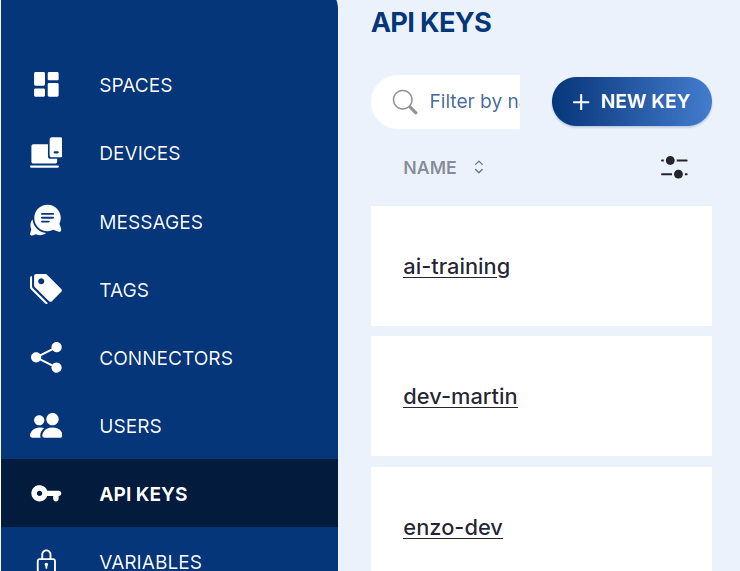
Open your Space, go to API Keys in the left sidebar, and click + NEW KEY.
-
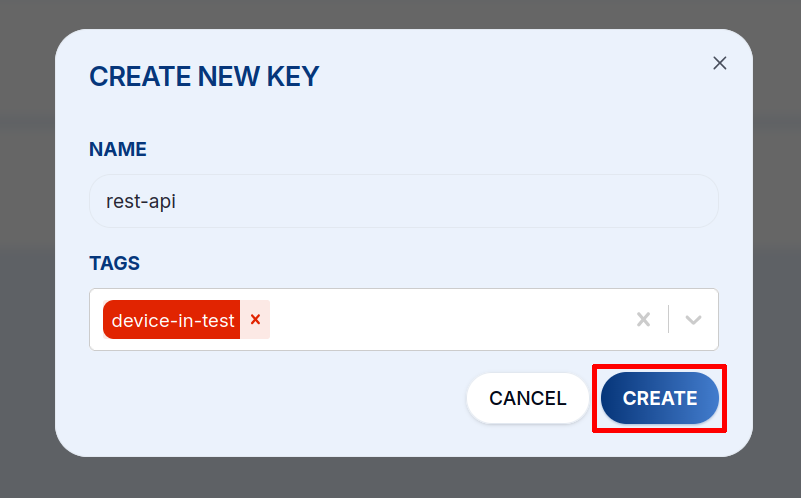
Give the key a Name and, optionally, pick the Tags that scope which devices it can access, then click CREATE.
-
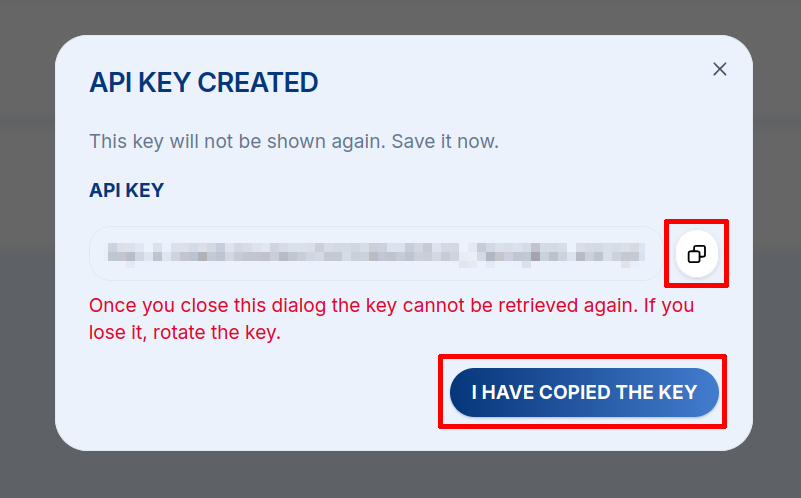
Copy the key from the API Key Created dialog and store it securely, because it is shown only once. If you lose it, rotate the key.
Then send it with every call:
curl -H 'X-API-KEY: <api-key>' \
  'https://api.hardwario.cloud/v2/spaces'
Keep API keys secret and never commit them to a repository. Scope a key with tags
so it can only reach the devices it needs, and delete or rotate a key immediately
if it leaks (.../spaces/{space_id}/keys also manages keys programmatically).