User Groups
Groups determine exactly what users within that specific group can see (such as dashboards or devices) and what actions they are allowed to perform with those items.
How to Create Groups with Different Permissions
Follow these steps to configure user groups and manage their roles in ThingsBoard:
- Select Users from the left-hand navigation menu.
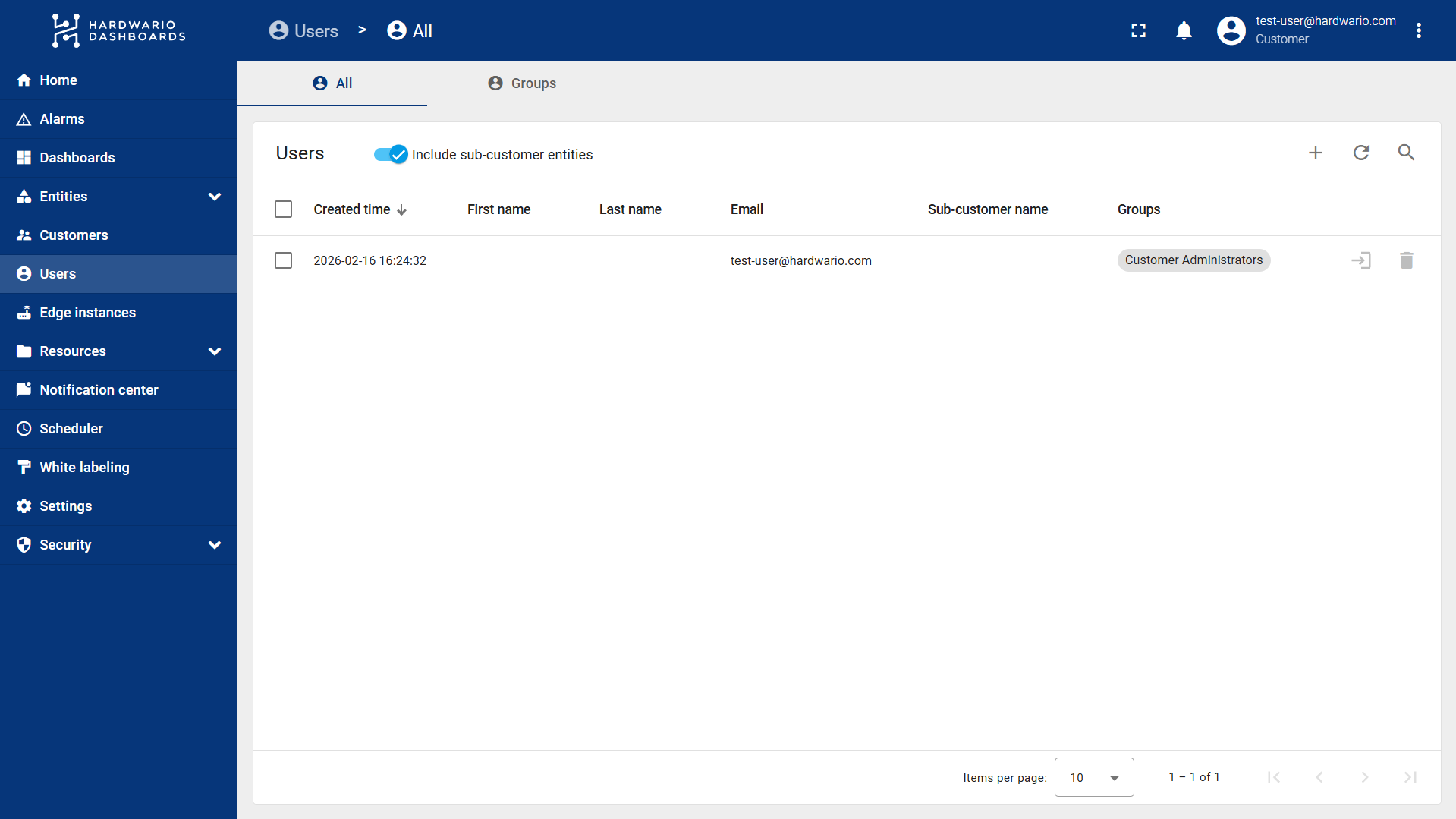
- Navigate to the Groups tab.
- Here, you have two options:
- Modify the permissions of the automatically generated Customer User and Customer Administrator groups to suit your needs.
- Create a new group by clicking the "+" (Plus) button located in the top right corner above the groups list.
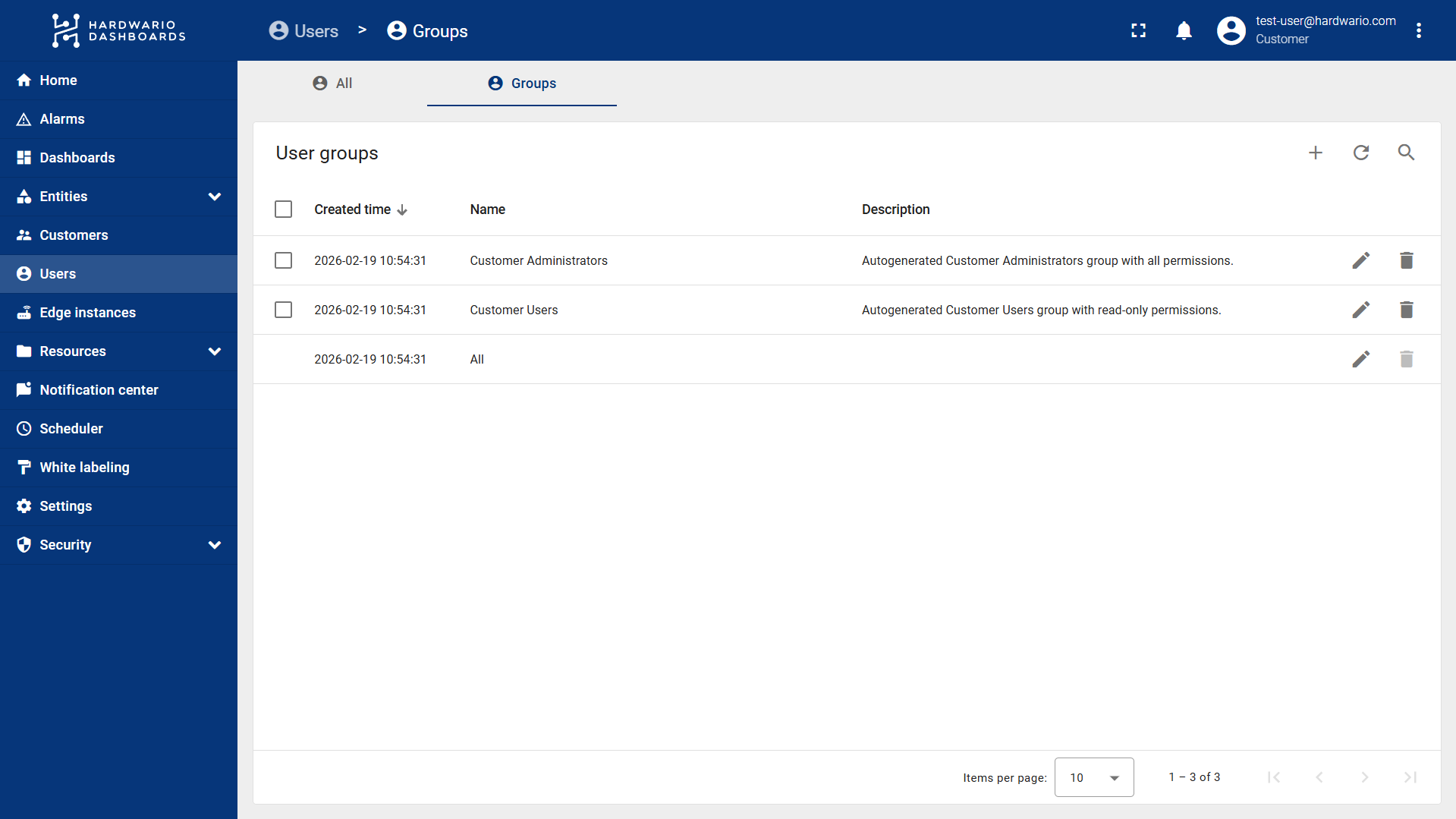
- If creating a new group, enter a Name and an optional Description, then save.
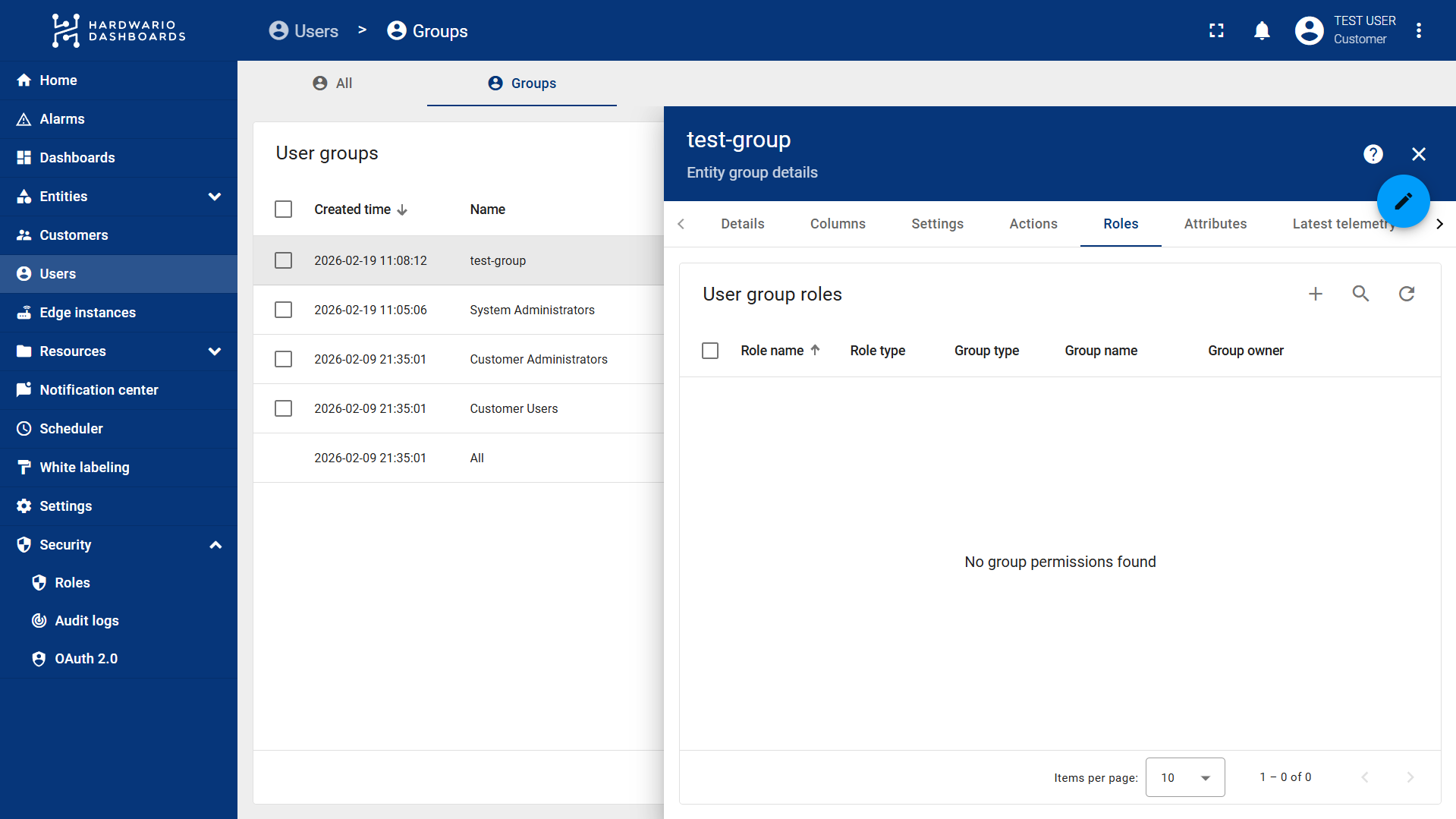
- Click on the specific group you want to modify and navigate to the Roles tab.
- Click the "+" (Plus) button to assign a new role.
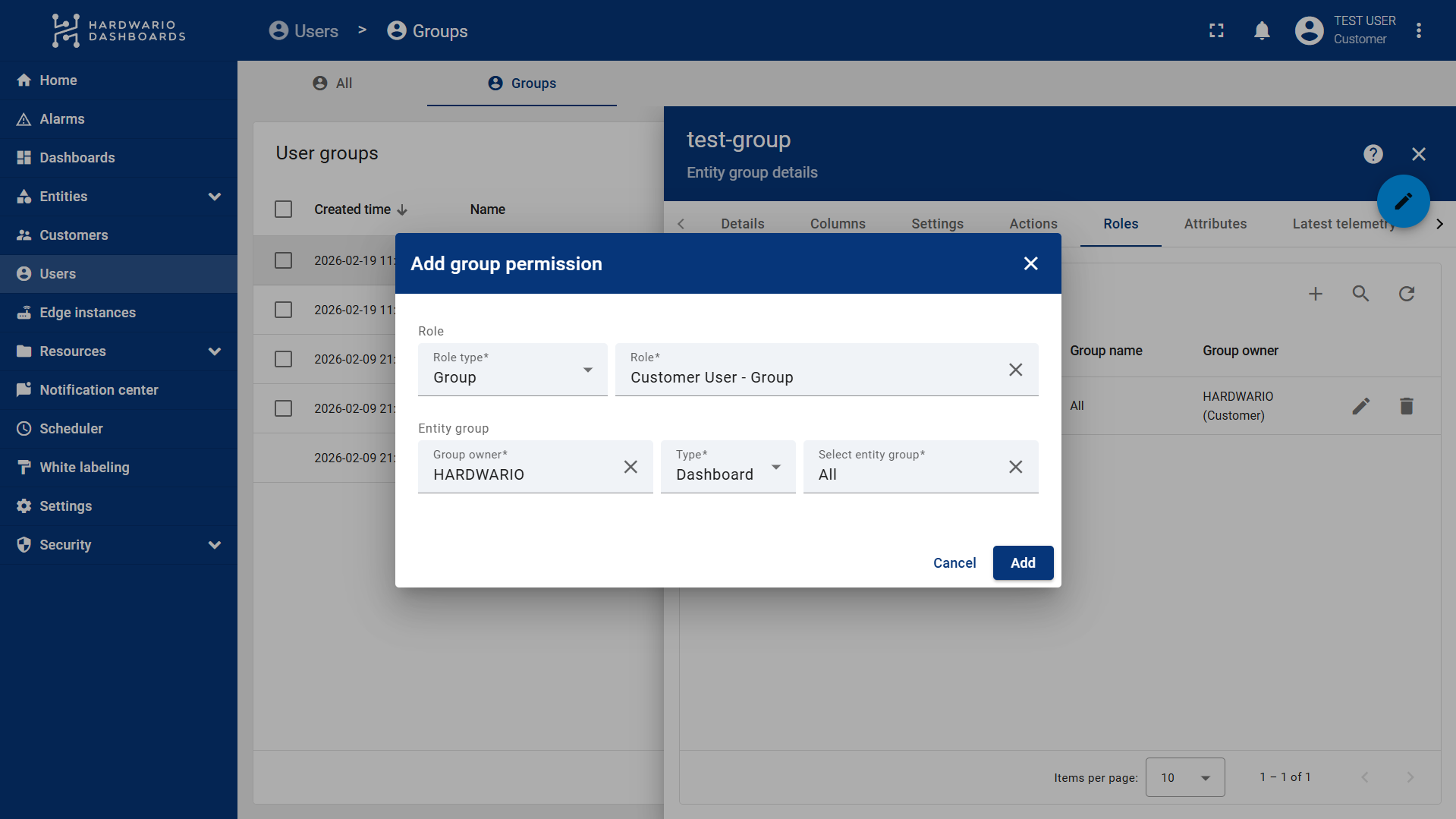
- You will be prompted to choose a Role Type: Generic or Group.
Understanding Role Types:
- Generic: Applies globally to all entities (all device groups, all dashboards, etc.).
- Group: Applies only to a specific entity group (e.g., a specific set of devices or specific dashboards).
- Select your desired role. If you chose the Group role type, you must also:
- Select the Group owner type (e.g., Dashboard, Device, etc., depending on what you want the user to access).
- Select the specific device group or dashboard group you want to assign to this role.
- Click Add to confirm the role assignment.
- Finally, simply assign a user to this newly configured group (as shown in the next tutorial), and you are all set!
How to Assign Groups to Users
Follow these steps to assign Groups and manage user permissions in ThingsBoard:
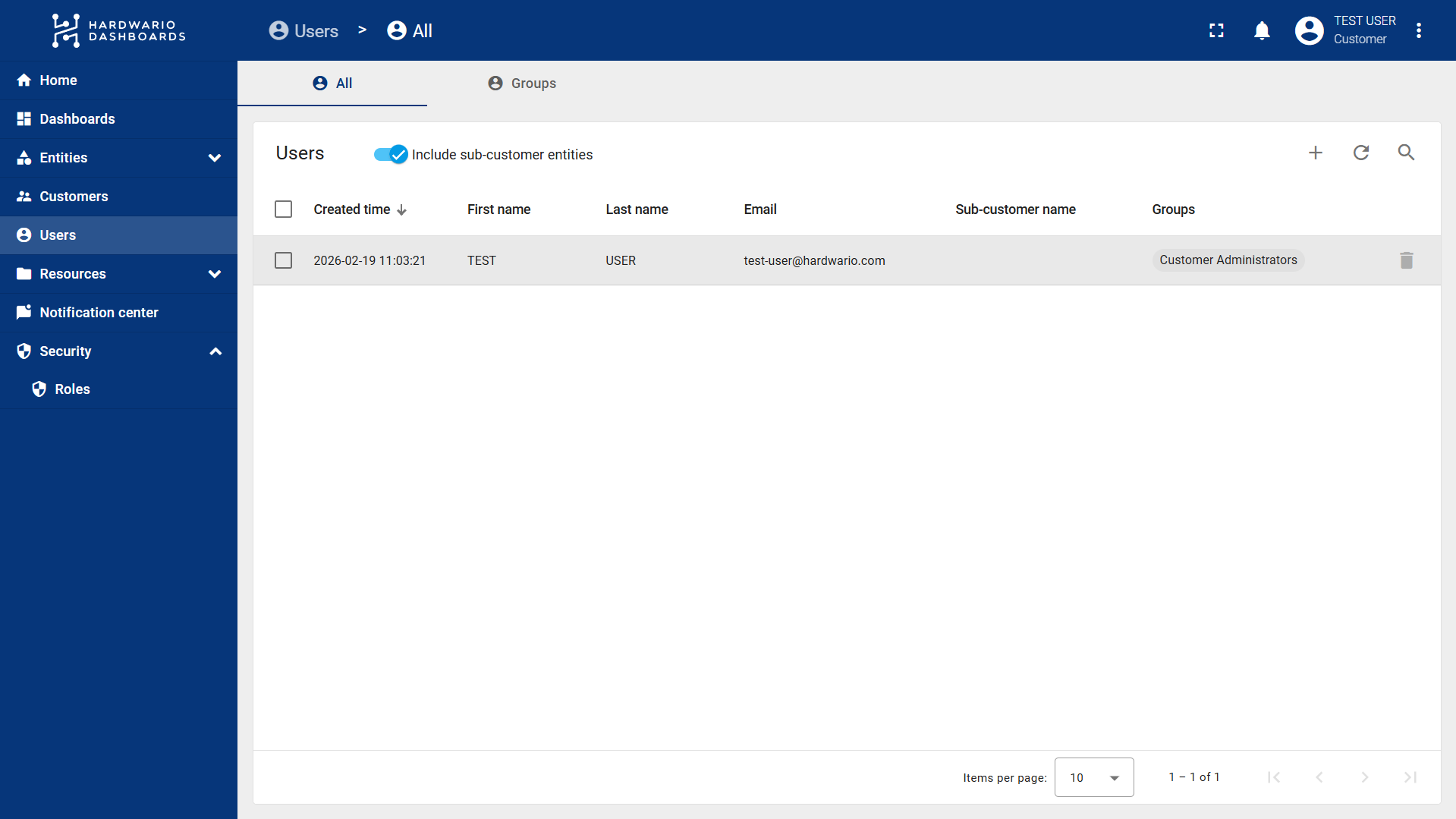
- Select Users from the left-hand navigation menu.
- Click on the specific user you want to modify.
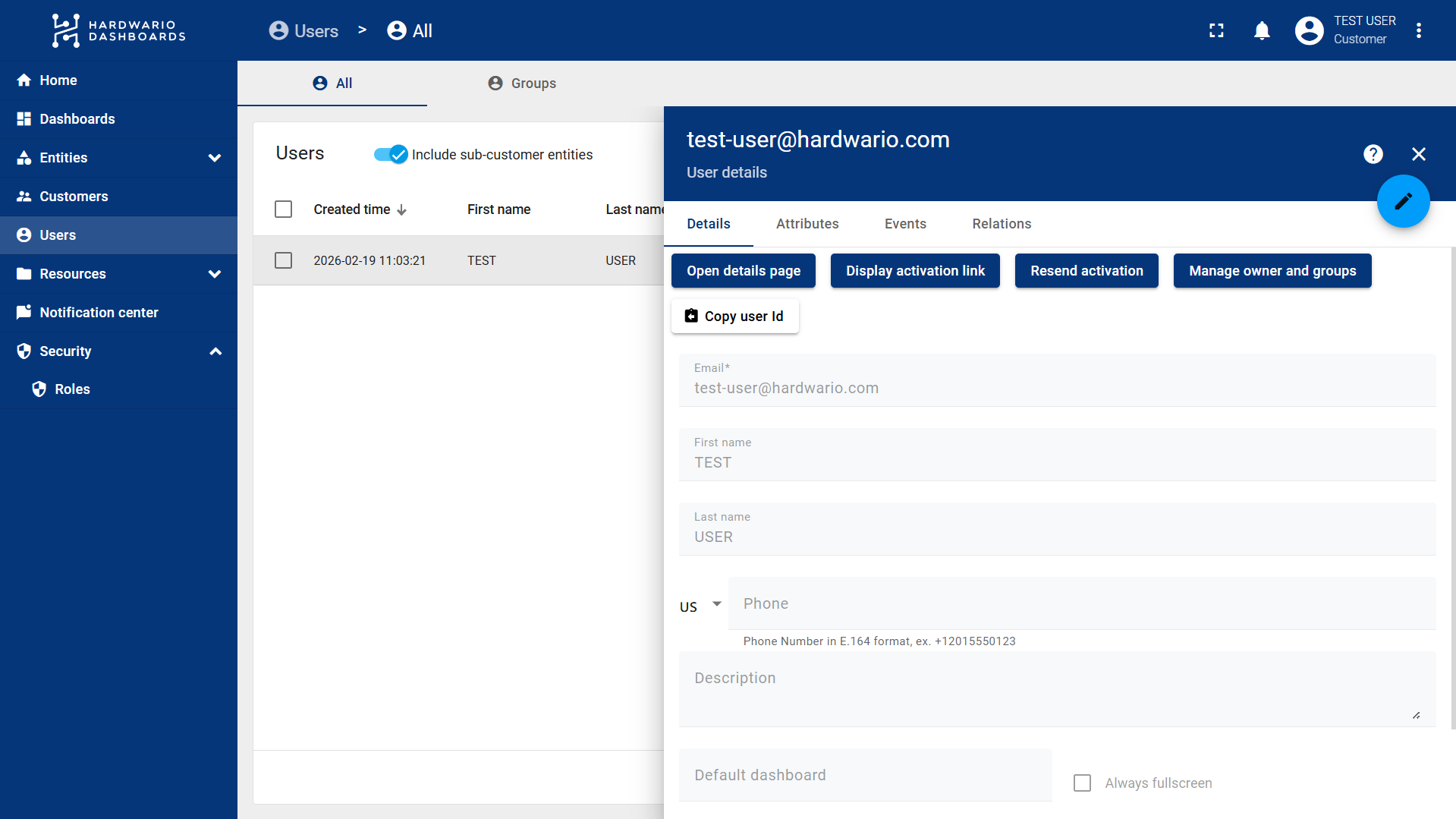
- In the Details tab, click on the Manage owner and groups button.
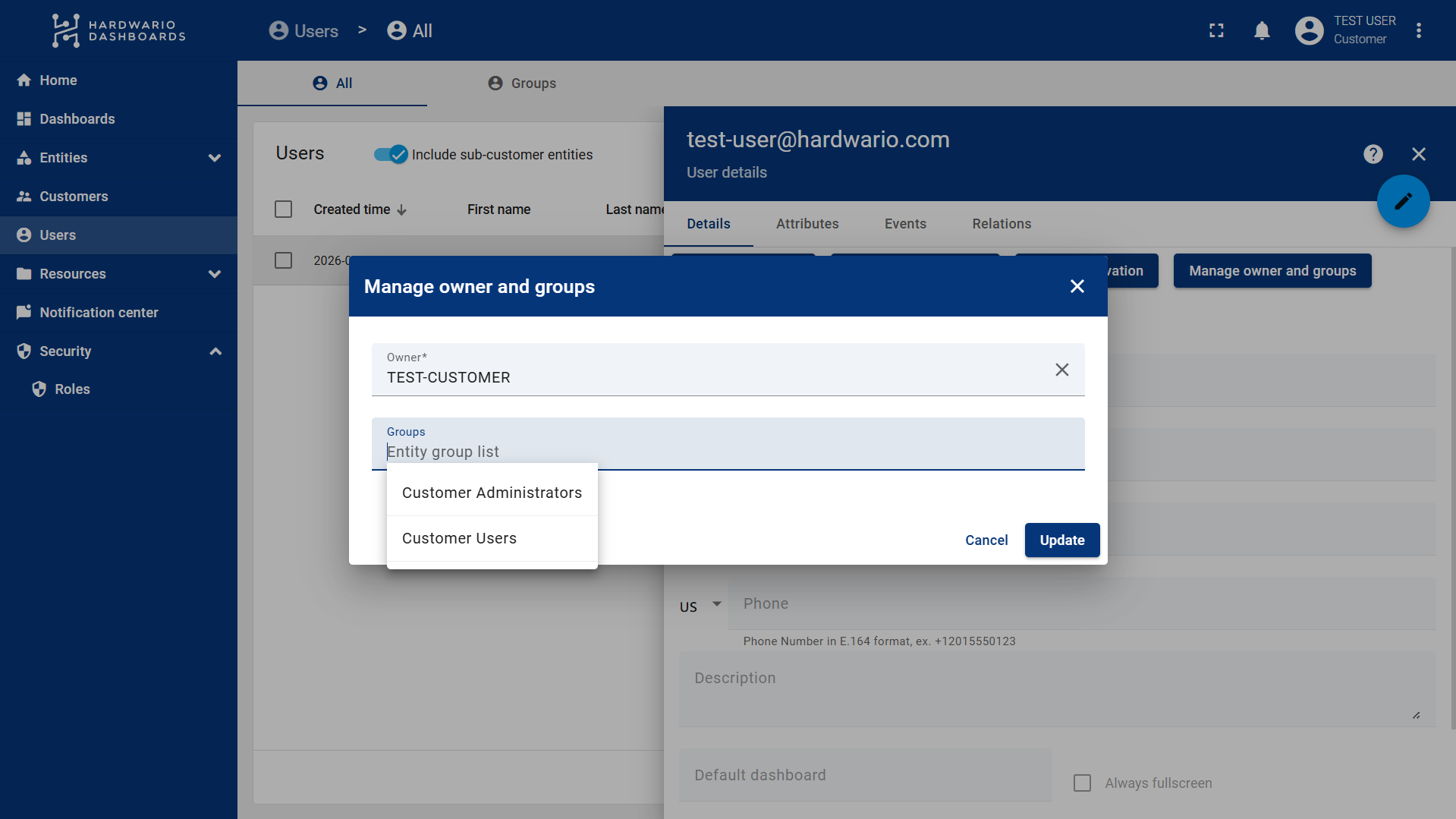
- Here, select the Customer and the desired User Group.
info
Note: Each group has different permissions, which are determined by the specific roles assigned to that group.